## The vivienne westwood accessory filtering task this article solves If you just want to quickly discover a few [Vivienne Westwood](https://fashion-reps.net/brand/vivienne-westwood) [accessories](https://fashion-reps.net/accessories), the fashion-reps brand catalog is better for a first browse; if you need to compare colors, sizes, images, prices, and link status over time, Google Sheets is better for building a candidate library. The two don't replace each other—they handle the 'discovery' and
Editor score 4.2 / 5
The vivienne westwood accessory filtering task this article solves
If you just want to quickly discover a few Vivienne Westwood accessories, the fashion-reps brand catalog is better for a first browse; if you need to compare colors, sizes, images, prices, and link status over time, Google Sheets is better for building a candidate library. The two don't replace each other—they handle the 'discovery' and 'maintenance' stages separately. 🔎
This article focuses on one specific task: first find accessories worth further checking from the website catalog, then organize the candidate items into Google Sheets for later comparison, review, and collaboration.
This article doesn't apply to scenarios where you've already decided to buy, need real-time stock confirmation, or need to judge authenticity. Price, stock, product images, link status, and QC info should all be re-confirmed on the actual product pages and shopping agent pages. The website page functionality mentioned here was checked on October 11, 2026.

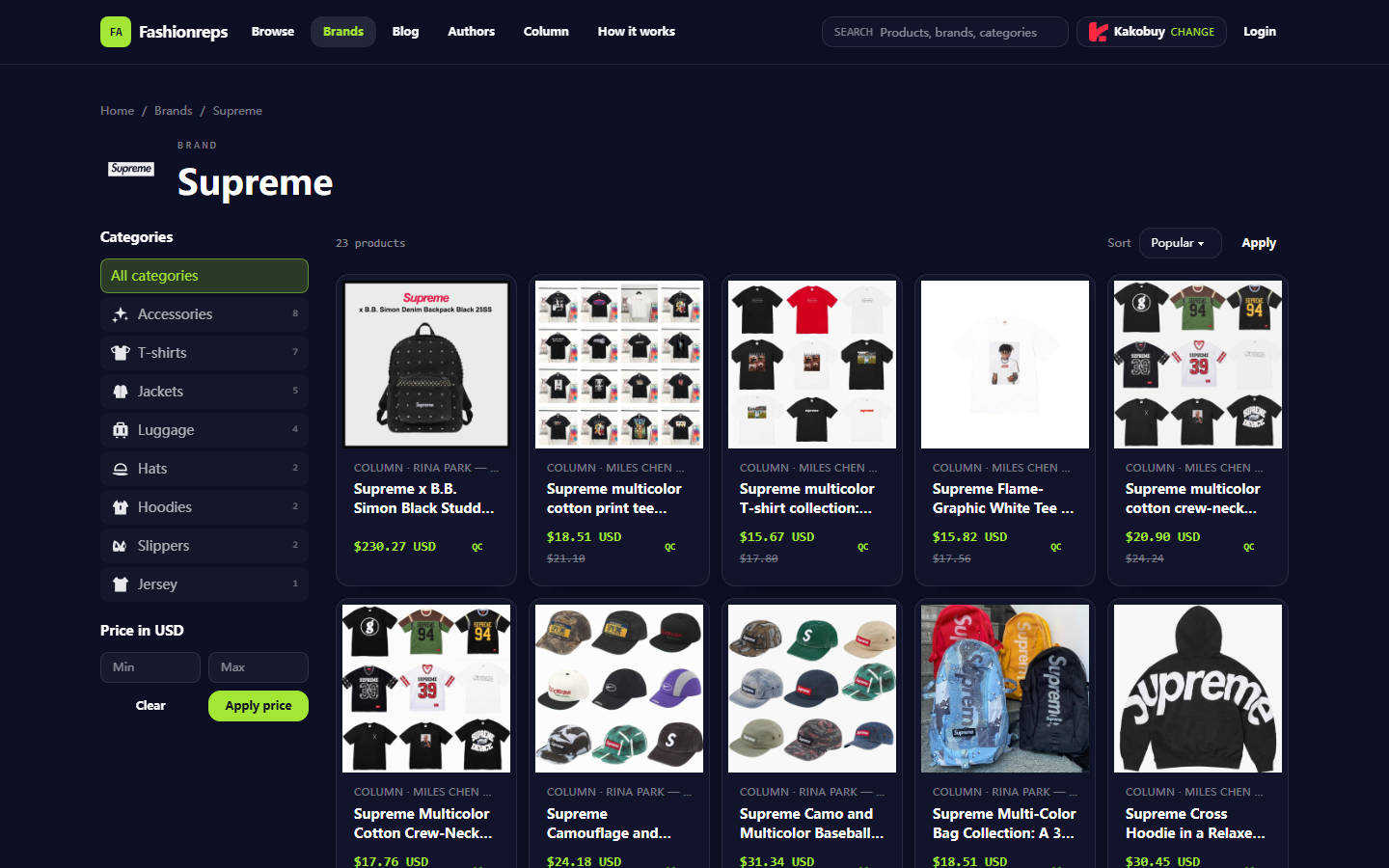
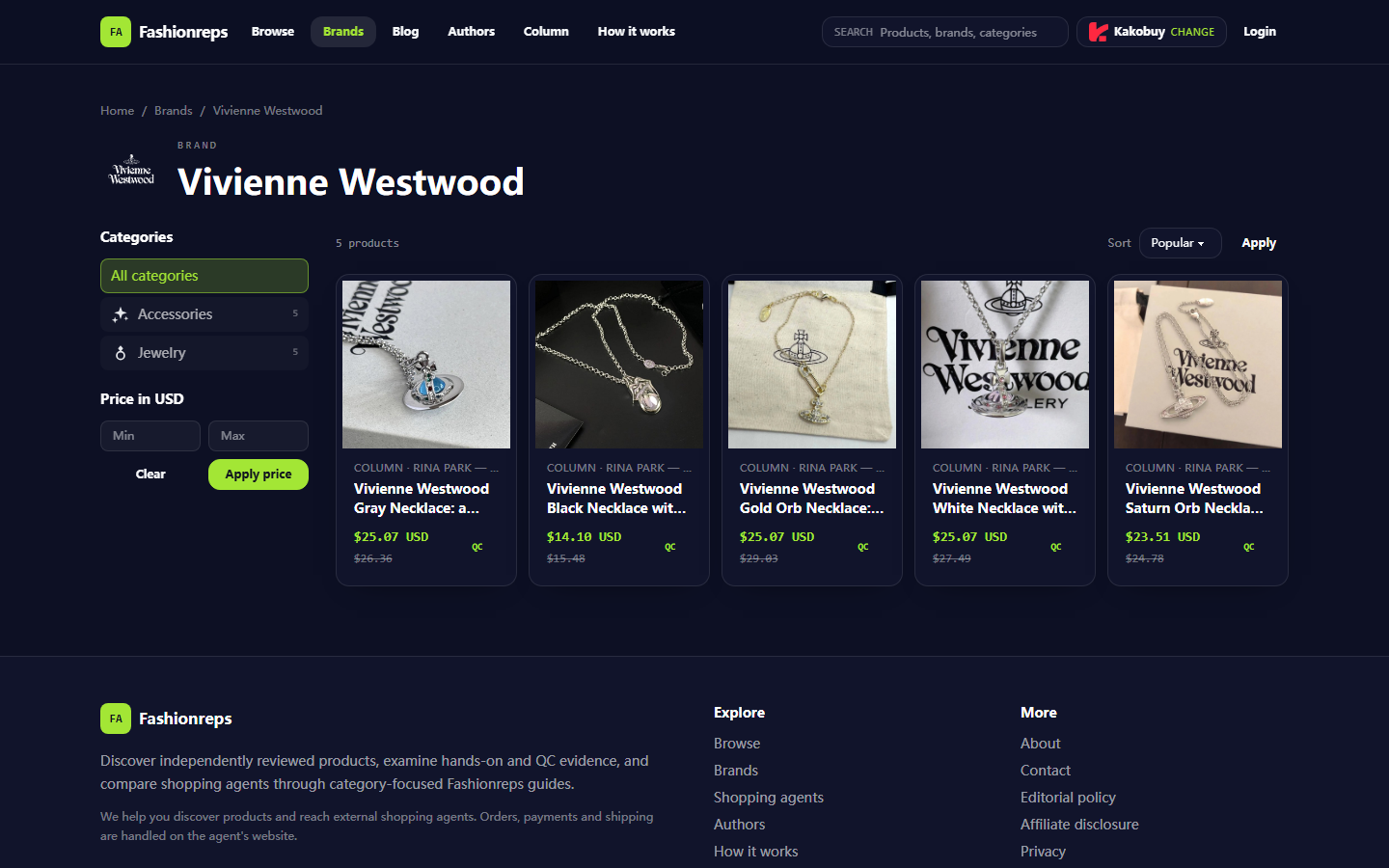
Image: fashion-reps' Vivienne Westwood brand catalog page, showing categories, price filter, sorting, product cards, and QC entry.
First decide on accessory type, usage scenario, and fields to keep
Before filtering, break down 'what to buy' into checkable conditions. Entering only the brand name usually gives a mixed batch of results, and you'll easily end up repeatedly opening the same pages or forgetting why you kept an item because the images look similar.
Write down three types of information first:
- Accessory type: necklace, earrings, ring, bracelet, or other accessories.
- Usage scenario: daily wear, specific outfit, gift, or just researching styles.
- Fields to keep: product name, product page URL, reference price, color, size or chain length, image, QC status, check date, and notes.
If you're focusing on necklaces, chain length and pendant size are usually more useful to record than 'does it look good?' If the page doesn't provide dimensions, don't guess from the image—mark it as 'to confirm' in the sheet. 📌
It's helpful to split fields into three groups:
- Identification fields: product name, product page URL, image URL or image note.
- Comparison fields: type, color, size, reference price, seller info, and reason for selecting.
- Risk fields: stock check date, link status, whether QC is visible, questions to confirm with the agent.
This division prevents cramming all info into one notes cell and makes it easier to use filters later to find items that 'still need confirmation'.
How to use fashionreps' brand page, category pages, and product cards
As of the check date, fashion-reps' Vivienne Westwood brand page shows a brand filter entry and provides Accessories and Jewelry categories. The page also shows a price range filter and sorting options: Popular, Latest, Price: low to high, and Price: high to low.
The page also displays product cards. On cards you can see the product name, reference price, and QC entry. The current screenshot shows 5 product results, but the number of results, prices, and visible items change with page maintenance, so don't treat this count as fixed long-term data.
For a first browse, follow this order:
- Go to the brand page and confirm it's really for Vivienne Westwood, not a generic tag page.
- Narrow down by Accessories or Jewelry to avoid mixing irrelevant items into your candidate library.
- Use the price filter to remove results clearly outside your budget, but don't treat the filtered price as the final quote.
- Check popular, latest, and price sorting separately to avoid relying on just one sorting method.
- Open product cards and record the name, reference price, image, and product page URL.
- If the page has a QC entry, note 'has QC entry', then go to the page to confirm if the specific images and info are sufficient for judgment.
The catalog is good for finding 'which items are worth further research'. It helps you see the brand range, product cards, and basic filters in a short time, but the reference price on a card isn't the final amount you'll pay. Agent service fees, domestic shipping, international shipping, insurance, taxes, and exchange rates all need to be calculated separately.
The top of the page also shows a shopping agent selection entry. This is more for confirming which agent platform to go to next, not for treating the website catalog as an order, payment, or logistics system. Orders, payments, and shipping should be completed on the selected agent's website, and rules should follow the agent page's real-time info.
How to use Google Sheets filters to maintain colors, sizes, images, and links
Google Sheets isn't meant to replace the product catalog, but to turn scattered candidate info from multiple pages into a sustainable list.
You can set up these fields:
| Field | What to record | Main purpose |
|---|---|---|
| Product name | Full name shown on page | Distinguish similar items |
| Type | Necklace, earrings, ring, etc. | Filter by accessory category |
| Color or metal tone | Color info clearly stated on page | Compare styling direction |
| Size or chain length | Size provided on page; mark 'to confirm' if missing | Avoid guessing from images |
| Reference price | Price and currency shown on page | Initial comparison |
| Product page URL | URL of product detail page | Return to original page for review |
| Image status | Has image, needs image, or images insufficient | Decide whether to continue research |
| QC status | Not viewed, viewed, insufficient info | Manage verification progress |
| Link status | Accessible, redirected, broken, or to review | Prevent saving outdated pages |
| Last check date | Date of most recent check | Identify outdated info |
| Notes | Questions to confirm with the agent | Centralize uncertain items |
After setting up the sheet, freeze the first row and set dropdown options for 'Type', 'QC status', and 'Link status'. This reduces synonyms—for example, don't use 'not viewed', 'not checked', and 'to view' all at once, because filtering will miss records.
You don't need to copy all images into the sheet. A safer approach is to keep the product page URL and note in the image remarks like 'main image clear', 'only partial image', or 'wait for QC'. If you need to save images, check the source and usage rights—don't republish website images as your own product evidence.
For prices, record the value, currency, and date together. For example, '25.07 USD, 2026-10-11'. Don't just write 'cheap' or 'about $25', or you won't be able to tell later if a price change came from a page update, exchange rate change, or entry error.
Step-by-step comparison between quick discovery and long-term candidate library
The division of labor between catalog and sheet can be understood by stage:
| Stage | Tool more suitable | Goal | Completion criteria |
|---|---|---|---|
| Initial discovery | fashion-reps brand catalog | Find relevant accessories and narrow down | Name, product page, and initial reason recorded |
| Detail verification | Product detail page, QC page, and agent page | Confirm images, size, price, and link status | Uncertain items marked, no guesses treated as facts |
| Long-term comparison | Google Sheets | Standardize fields and filter candidates | Can filter by type, color, price, and status |
| Review and maintenance | Google Sheets plus original pages | Find expired links and old prices | Each record has a recent check date |
If you're just quickly looking for a necklace, using the website catalog and product pages directly may be enough. But if you need to compare multiple colors, record different chain lengths, or discuss with colleagues, the sheet's value increases significantly.
Don't enter every item you see into the sheet. Only save candidates that meet at least one condition: fits your usage scenario, images are sufficient for further judgment, size info has a clear source, or you need to confirm something with the agent. This prevents the candidate library from growing endlessly without real decision value.
Applicable boundaries for mobile browsing, desktop organization, and collaboration notes
Mobile is good for quick discovery: browsing the brand page, opening product cards, saving pages to process later. It's not great for comparing multiple items side by side or filling in many fields over a long time. On mobile, you can record just the product name, page URL, and a one-line reason for selecting, then add details later on desktop.
Desktop is better for organizing Google Sheets. You can open the catalog and sheet side by side, checking names, prices, images, and link status line by line, reducing the risk of entering one product's info into another's row.
For collaboration, write notes as actionable questions, like:
- 'Please confirm if the silver version is still accessible.'
- 'Product page doesn't show chain length; need to confirm with agent.'
- 'QC images only show the front; can't judge details yet.'
- 'Price recorded, but agent-side fees not yet checked.'
Don't record full order numbers, payment card info, passport details, or unmasked shipping addresses in the sheet. If you must share screenshots, mask personal info first while keeping enough to judge the product's status.
Real-time verification boundaries for price, stock, link status, and QC info
The reference prices in the website catalog only support initial screening—they don't directly represent the final cost. The final amount can be affected by shopping agent service fees, domestic shipping, international shipping, insurance, exchange rates, taxes, and destination country customs requirements. Conditions may vary by destination country and currency.
Similarly, stock can't be judged just from catalog cards. When recording items, separate 'visible in catalog' from 'currently purchasable'. Only write 'verified' if the product page or agent page clearly shows the relevant status and you checked it on the record date.
Link status should also be checked separately:
- If the page opens normally and shows the product name, record as accessible.
- If the page redirects to another product or a generic tag page, record as redirected and to review.
- If the page returns an error, blank, or can't display product info, record as broken.
- If the page can't be judged temporarily, record as to review—don't delete the candidate immediately.
QC info only means the page provides relevant evidence—it doesn't automatically prove product quality, material, brand authenticity, or suitability to buy. If images are blurry, angles insufficient, or key details missing, write down the gap clearly in notes and leave the question for later manual verification.
Post-filtering save and review checklist
After a round of filtering, use this checklist to wrap up:
- Every record has a product name and original product page URL.
- Accessory type, color, and size only include info clearly provided on the page.
- Price includes currency and check date.
- Catalog reference prices are not written as final landed cost.
- Image source and usage are clear; no images used without permission.
- QC status matches what you actually saw when opening the page.
- Link status has been checked; broken pages not treated as valid candidates.
- Uncertain content is in notes, not rewritten as definite conclusions.
- Records don't contain order, payment card, passport, or complete shipping info.
- Next review time is set, especially for items with fast-changing prices, stock, and links.
If your goal is just quick style discovery, using the fashion-reps catalog for the first round of screening is enough. If you need to maintain multiple candidates long-term, Google Sheets can reduce time spent reopening pages and re-judging, but it also adds work in entry, updating, and link review. The right approach depends on the number of candidates, number of collaborators, and whether you need to continuously track prices and page changes.
Don't treat the sheet as a real-time inventory system, and don't place an order without reopening the original page. The safest flow is: catalog discovers candidates, product pages supplement info, sheet saves judgment basis, agent page confirms actual purchase conditions, then decide based on destination country fees, customs, and after-sales rules. ✅